Collision Map
A downloadable tool
The problem
Collision layers and masks sit on every physics node, spread across dozens of scenes. The inspector shows them one node at a time. So when an Area never fires, the player walks through a wall, or a bullet ignores enemies, you end up clicking through scenes and counting bits. Layer 3 is value 4 in code. 2D and 3D layers are separate. Bodies never detect Areas. Godot has no built-in project-wide view; the engine proposal asking for one has been open since 2020.
What Collision Map does
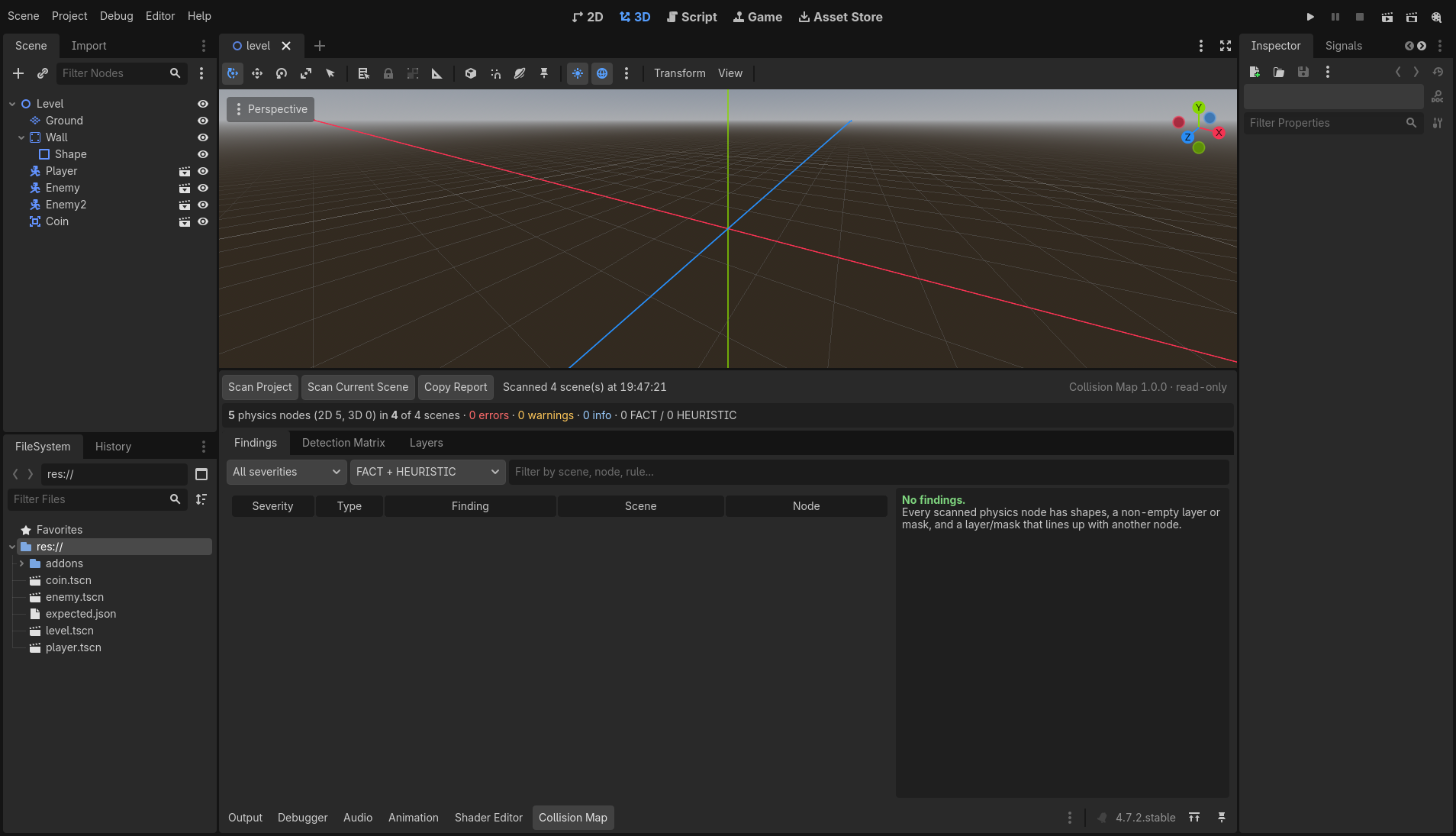
One click scans every saved scene in your project, without saving anything, and answers:
What detects what, and where are the suspicious configurations?
It scans: StaticBody, AnimatableBody, CharacterBody, RigidBody, VehicleBody3D, PhysicalBone, Area (2D/3D), SoftBody3D, TileMapLayer / TileMap tile set physics layers, GridMap, CSG collision, RayCast and ShapeCast (2D/3D), their collision shapes, and your named physics layers from Project Settings.
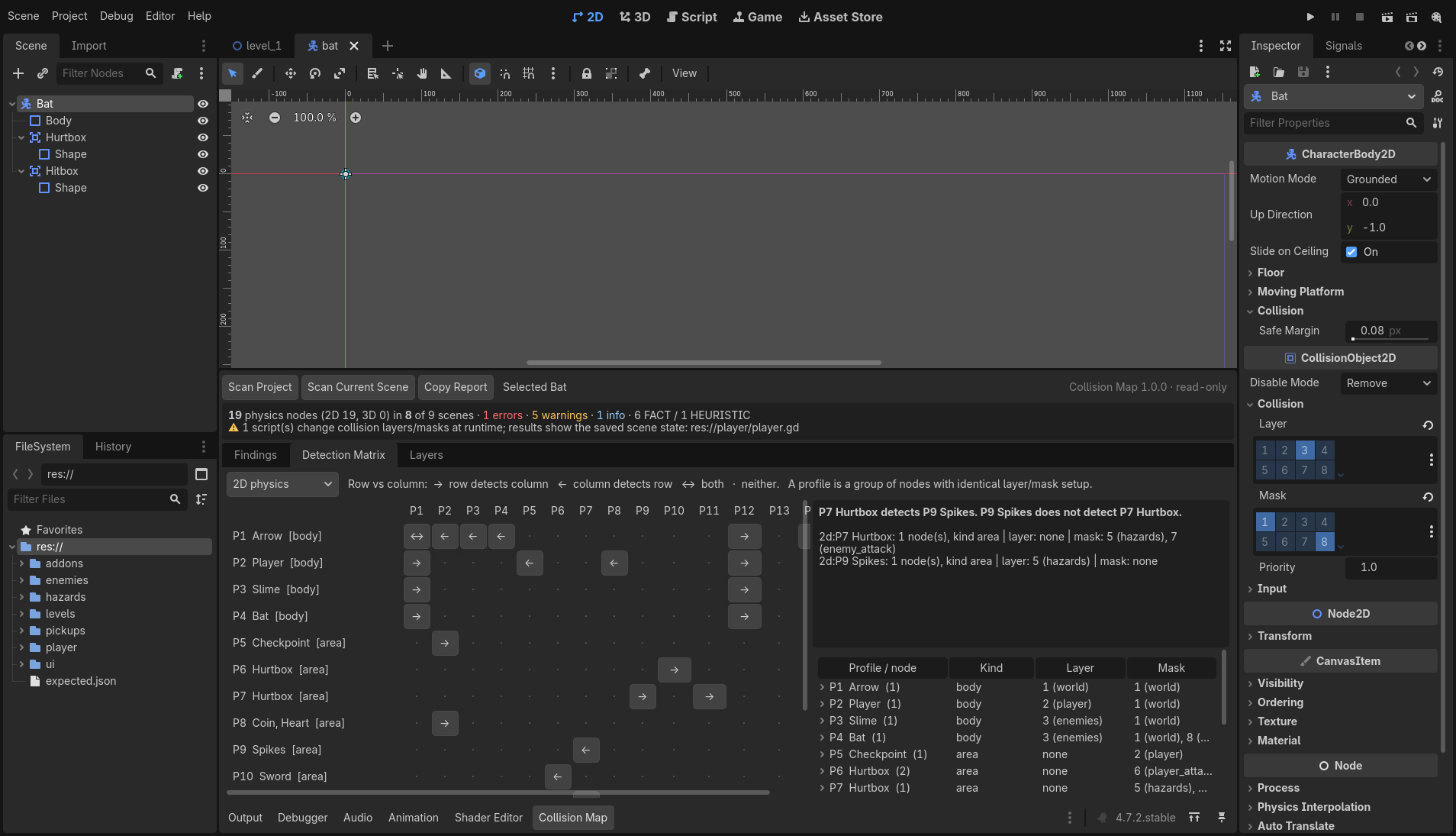
Detection matrix. Nodes with identical collision setups are grouped into
profiles ("Slime, Bat · body · layer 3 enemies · mask 1 world"). For every pair of profiles
you get exactly one answer: A detects B, B detects A,
both or neither. Click any cell for a plain-English
sentence. The matrix models the detection eligibility defined by your saved layer/mask
settings: bodies never detect Areas, an Area must be monitoring and its target
Area monitorable, rays need collide_with_areas to see Areas, and
2D and 3D never mix. It does not simulate CanvasLayer/Viewport world separation or anything
set from code. One-way relationships are normal and are never flagged as
errors on their own.
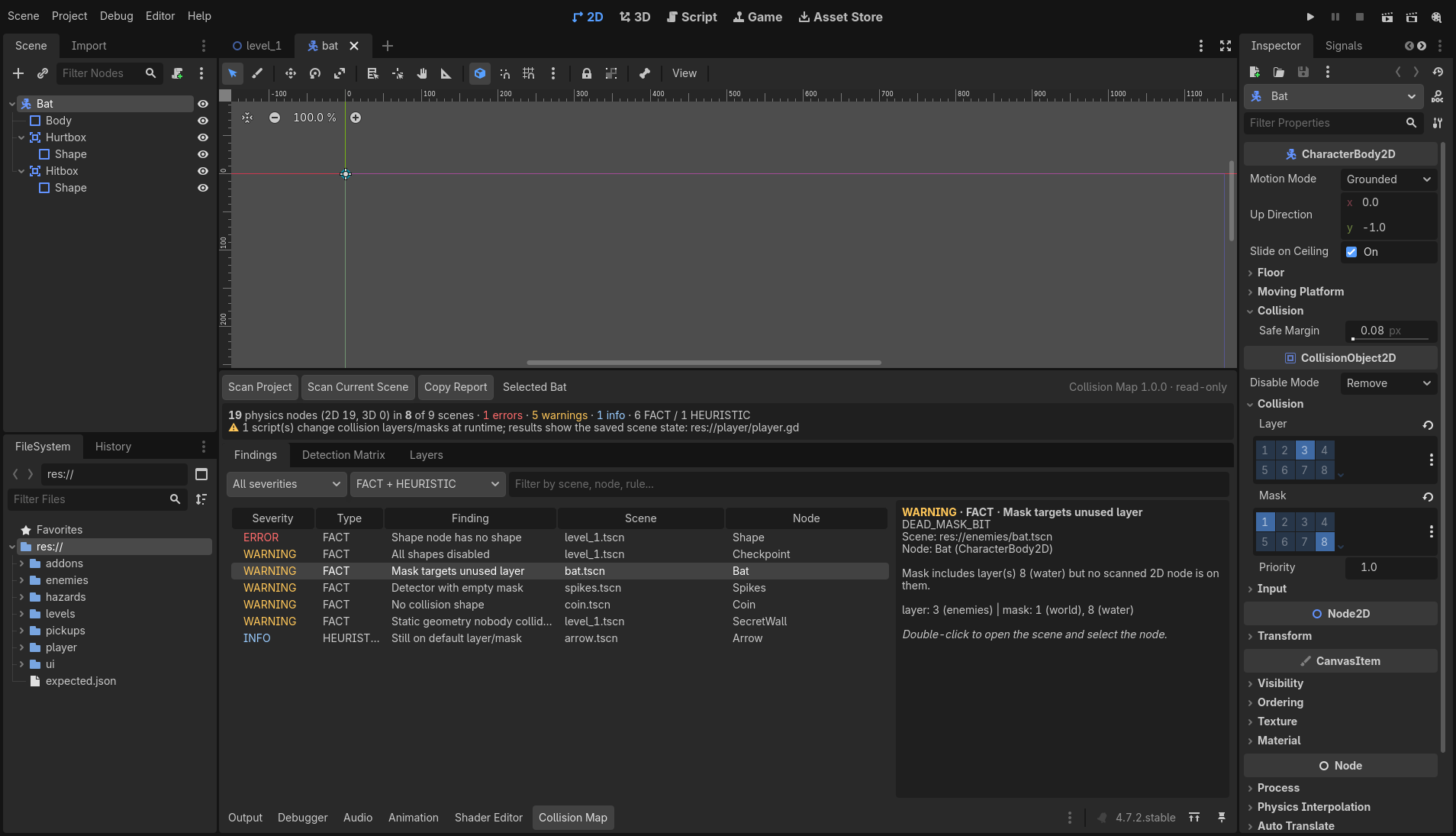
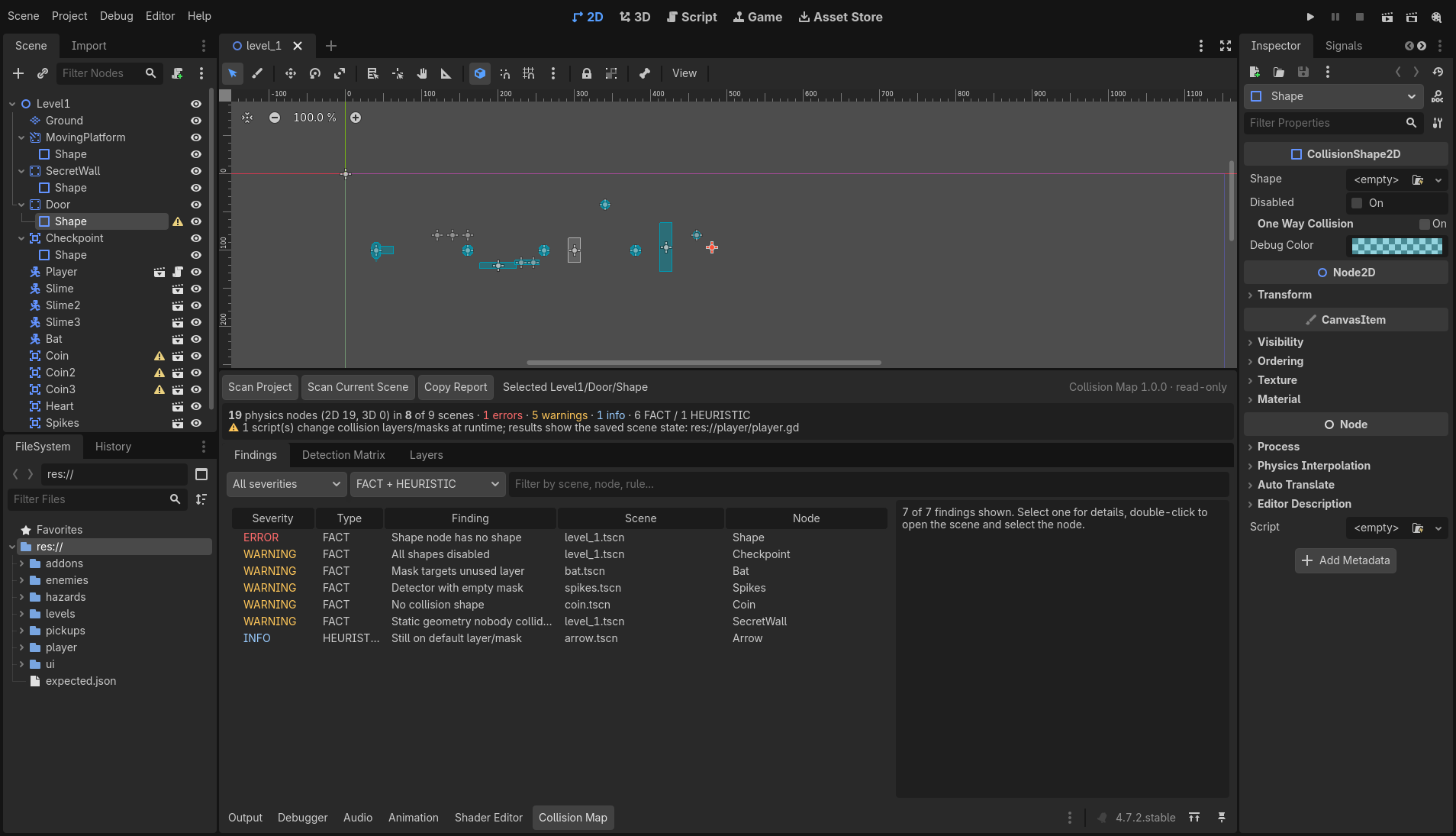
Findings. Every finding is labelled FACT (deterministically true for your scene files) or HEURISTIC (often a mistake, sometimes intentional):
- collision object with no shape; shape node with no Shape resource; empty polygon
- disabled shapes, and objects whose shapes are all disabled
- inert objects (nothing can detect them and they can detect nothing)
- an Area or RayCast with an empty mask
- a mask that targets a layer no node is on
- static geometry with no collision relationship to any scanned node
- named layers nobody uses, and unnamed layers that are used
- heuristic: nodes still on the default layer 1 / mask 1 in a project that names its layers
- heuristic: isolated objects that detect nothing and that nothing detects
Double-click a finding to open the scene and select the node.
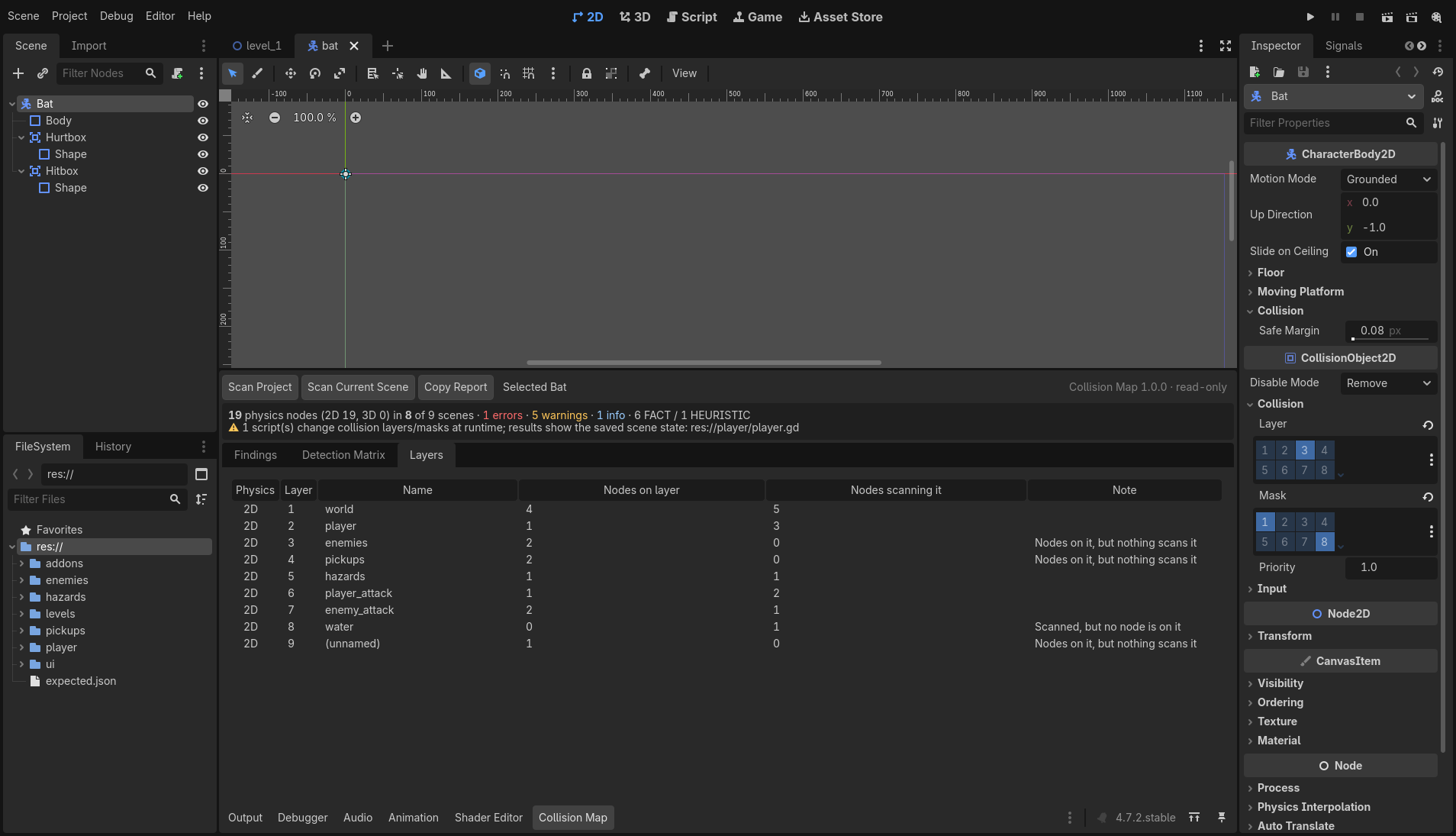
Layers table. Each layer shows its name, how many nodes are on it and how many scan it.
Honest about its limits. If a script changes collision layers at runtime, Collision Map lists that script and marks the affected findings. You know when the saved scene isn't the whole story.
Copy Report puts a Markdown summary on the clipboard for your issue tracker or team chat.
What it intentionally does NOT do
- No automatic fixes, no mass editing, no "fix all". Collision Map does not save scenes or project settings.
- No runtime simulation. Layers set from code are detected and flagged, not evaluated.
- No CanvasLayer/Viewport (separate physics world) modelling. Every 2D node is treated as one 2D world, and every 3D node as one 3D world.
- No collision exceptions, one-way collision or physics materials.
- No render, light or navigation layers.
Included
collision-map-1.0.0.zip: the plugin (addons/collision_map), install guide, license, privacy statement and changelog.collision-map-demo-1.0.0.zip: "Moss Cave", a small demo project with 7 planted collision mistakes to try it on.
Supported Godot versions
Godot 4.3, 4.4, 4.5, 4.6 and 4.7, standard editor. Every release is tested automatically against 4.3, 4.4.1, 4.5.1, 4.6 and 4.7.2 in the real editor. Pure GDScript, no native code. The .NET editor and the Windows/macOS editors are expected to work but were not part of automated testing for 1.0.0.
Installation
- Copy
addons/collision_mapinto your project'saddons/folder. - Project → Project Settings → Plugins → enable Collision Map.
- Open the Collision Map tab in the bottom panel and press Scan Project.
Privacy
Runs locally. Collision Map itself transmits no project data. No telemetry. No account required.
Collision Map itself does not save scenes or project settings, and it contains no networking
or explicit file-writing code. A project scan instantiates your saved scenes in memory
(as the editor does when it opens them), so your project's own @tool scripts
or custom resources may run their own editor-time code during a scan.
AI disclosure
Collision Map was developed with substantial generative-AI assistance. The released plugin has been reviewed, tested against dedicated fixtures, and validated in Godot 4.3–4.7.2.
Refunds & support
If Collision Map doesn't work on a supported Godot version and I can't fix it, you get a refund. Contact me through the itch.io page within 30 days of purchase. Bug reports are welcome in the comments; including the Copy Report output helps a lot. Support is best effort from a solo developer, usually within a few days.
Changelog
- 1.0.0: first release.
Purchase
In order to download this tool you must purchase it at or above the minimum price of $9.99 USD. You will get access to the following files:
Leave a comment
Log in with itch.io to leave a comment.